
Download Story Architect – Free Document Management for Mac
Overview
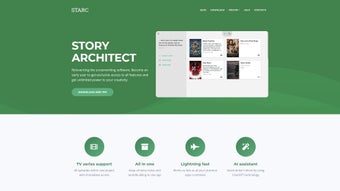
Story Architect is a free, Mac‑only document management application that targets writers, researchers, students, and business professionals who need a reliable, intuitive platform for organizing and structuring their written work. Unlike generic file‑folder systems, Story Architect offers a purpose‑built workspace that lets you create, edit, and arrange multiple document types—from simple notes to complex multi‑chapter manuscripts—without ever leaving the app. Its clean, minimalist interface reduces visual clutter, allowing you to focus on the content rather than the tools.
The software’s core philosophy is to streamline the writing process: it provides built‑in outlining tools, version tracking, and quick navigation between sections, so you can keep your ideas coherent and your workflow efficient. Because it’s designed specifically for macOS, Story Architect integrates smoothly with native features such as Spotlight search, iCloud sync, and the macOS sharing menu. Whether you’re drafting a novel, preparing a business proposal, or compiling research papers, the app’s flexible architecture adapts to any project size.
Users appreciate the way Story Architect treats each document as a “story” with its own hierarchy, making it easy to jump between chapters, scenes, or sections with a single click. Moreover, the application supports a wide range of file formats—including .docx, .rtf, .pdf, and plain text—ensuring seamless import and export without losing formatting. In short, Story Architect is a free, secure, and highly focused tool that fills a niche many writers have long awaited on macOS.
Key Features that Boost Productivity
- Intuitive Outlining Engine: Drag‑and‑drop nodes to rearrange chapters, scenes, or sections instantly.
- Multi‑Format Support: Import and export .docx, .rtf, .pdf, .txt, and Markdown files without losing style.
- Version History: Automatic snapshots let you revert to previous drafts, protecting against accidental loss.
- Full‑Screen Writing Mode: Distraction‑free environment with customizable themes and fonts.
- Search & Filter: Powerful Spotlight‑compatible search that filters by tags, dates, or document status.
- iCloud Synchronization: Keep your stories up‑to‑date across all your Apple devices.
- Export Packages: Bundle an entire project into a single .zip for easy sharing with collaborators.
- Secure Local Storage: All files are saved locally with optional encryption for sensitive content.
- Customizable Templates: Start new projects from pre‑built templates for novels, reports, or academic papers.
- Keyboard Shortcuts: Full set of shortcuts for navigation, formatting, and outlining, speeding up the writing flow.
Why These Features Matter
The combination of an outlining engine and version history addresses two of the biggest pain points for writers: structural organization and accidental overwrites. By allowing you to visualize the hierarchy of your work, Story Architect makes it simple to see where each piece fits in the larger narrative. The built‑in search and filter capabilities mean you can locate a specific paragraph or tag in seconds, a crucial advantage when handling large research projects or multi‑chapter novels. iCloud synchronization ensures that you never have to worry about carrying a USB stick or emailing files to yourself—your latest draft is always a click away on any Mac, iPhone, or iPad. Finally, the secure local storage option gives peace of mind for confidential business documents, as the app does not force any data to the cloud unless you enable it. Altogether, these features create a seamless, productive environment that lets you concentrate on storytelling rather than file management.
Installation, Usage Instructions, and Compatibility
Step‑by‑Step Installation Guide
Installing Story Architect is straightforward. First, visit the official website or the Mac App Store and click the “Download Free” button. The installer will appear as a .dmg file.
Open the file, then drag the Story Architect icon into your Applications folder. macOS may prompt you to confirm that you want to open an app from an unidentified developer; simply click “Open” after reviewing the permissions. Once installed, you can launch the app from Launchpad or the Applications directory. The first launch will trigger a short onboarding wizard that walks you through creating your first project, selecting a template, and setting up optional iCloud sync.
The wizard is optional, and you can skip it if you prefer to explore the interface on your own.
Getting Started with Your First Document
After opening Story Architect, click the “New Project” button on the dashboard. Choose a template that matches your work—whether it’s a novel, research paper, or business report. The app automatically creates a folder hierarchy: Project → Chapters → Scenes (or Sections).
You can rename any node by double‑clicking, and you can add new nodes via the “+” button or the right‑click context menu. To start writing, select a scene and the editor pane will appear in full‑screen mode. Use the toolbar at the top for basic formatting (bold, italics, headings) or press Cmd+B for quick shortcuts.
The outline view on the left updates in real time, allowing you to drag scenes into new positions without breaking links. When you’re ready to save, the app autosaves every few seconds, but you can also manually export the whole project via File → Export Package.
Operating System Compatibility
Story Architect is built exclusively for macOS 10.15 (Catalina) and later. It takes advantage of native Apple technologies such as Metal rendering for smooth UI animations and Core Data for efficient storage. While there is no Windows, Android, or iOS version at present, the iCloud sync feature lets you access exported files on any device that can open standard document formats. For best performance, we recommend using a Mac with at least 8 GB of RAM and a solid‑state drive, although the app runs comfortably on older machines as well.
Pros, Cons, and Frequently Asked Questions
Pros & Cons
- Pros
- Completely free with no hidden fees.
- Mac‑optimized UI that feels native and responsive.
- Powerful outlining and version control tools.
- Supports a wide variety of document formats.
- iCloud sync for seamless cross‑device access.
- Secure local storage with optional encryption.
- Cons
- Only available for macOS; no Windows or Linux version.
- Lacks built‑in collaborative editing (requires manual file sharing).
- Advanced formatting options are limited compared to full‑featured word processors.
FAQ
Is Story Architect really free?
Yes, Story Architect is 100 % free to download and use. There are no subscription fees or hidden in‑app purchases. All core features, including outlining, version history, and iCloud sync, are available at no cost.
Can I import my existing Word documents?
Absolutely. Story Architect supports .docx, .rtf, and .txt files. You can import them directly into a new or existing project, and the app will preserve most formatting.
How does version history work?
Every time you save or the app autosaves, it creates a snapshot of the current document state. You can view the history from the “File → Version History” menu and revert to any previous snapshot with a single click.
Is my data safe if I enable iCloud sync?
iCloud uses end‑to‑end encryption, so your documents are stored securely in Apple’s cloud. If you prefer to keep everything local, you can simply disable iCloud sync in the preferences.
Can I export a project as a single PDF?
Yes. From the “File” menu choose “Export → PDF”. The app will compile all sections of the project into one PDF document, preserving the hierarchy and page breaks.
Review Summary: Story Architect delivers a polished, free solution for Mac users who need more structure than a plain folder system but don’t require the heft of a full‑featured word processor. Its intuitive outlining, automatic versioning, and seamless iCloud integration make it a standout choice for writers, students, and business professionals alike. While the lack of Windows support and real‑time collaboration are notable gaps, the overall value proposition remains strong, especially for solo creators looking for a secure, organized writing environment.
Conclusion & Call to Action
If you’re a Mac user searching for a dedicated, free tool to bring order to your documents, Story Architect is worth a download. Its blend of powerful outlining, version control, and multi‑format support addresses the core needs of anyone who writes regularly—whether you’re drafting a novel, preparing a corporate report, or compiling research notes. The app’s minimalist design keeps distractions at bay, while the optional iCloud sync ensures you can pick up where you left off on any Apple device.
Although it lacks a Windows counterpart and live collaboration features, its solid feature set and zero cost make it a compelling addition to any writer’s toolkit. Ready to experience a more organized writing workflow? Download Story Architect today and start structuring your stories with confidence.







